FAQ
Legacy Troubleshooting: Unity SDK 1.3.4
Version scope. Applies to Unity SDK 1.3.4 only. Vehicle movement was refactored in Unity SDK 1.3.5; do not use this procedure with newer SDK versions.
-
Team Players or Non-Team Players do not follow a moving vehicle, or drift away
-
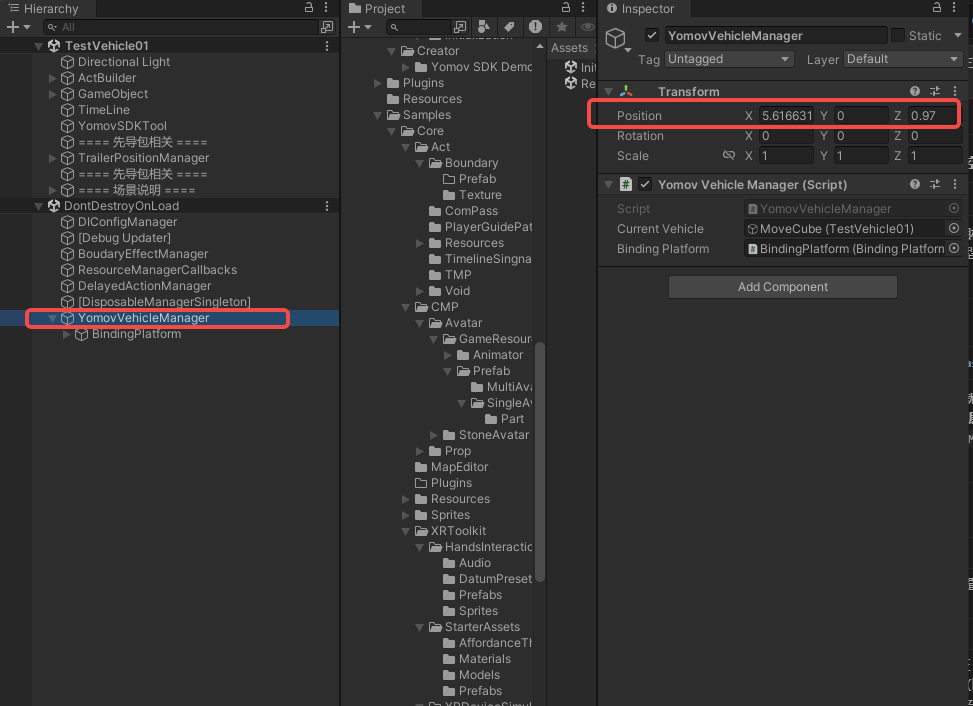
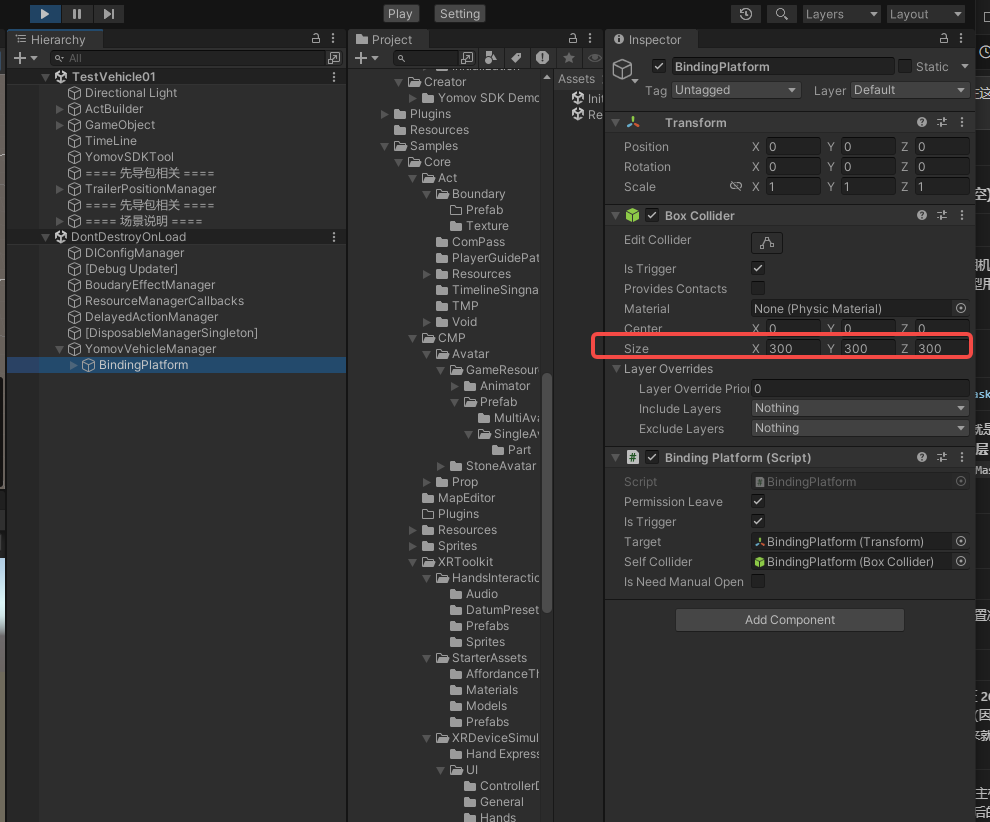
Cause: The vehicle manager contains a BindingPlatform GameObject with a Box Collider used to detect Team Players and Non-Team Players. Its Size is 300 × 300 × 300. After earlier scenes have moved with a vehicle, YomovVehicleManager may remain offset from the current vehicle. Players then fall outside the trigger volume and are no longer bound to the moving platform.
-
Solution
-
When entering the scene, move the vehicle manager to the vehicle's position. Access its GameObject through YomovVehicleManager.Instance.gameObject.
-
-